
A mobile Fine Art Museum experience, that acts as a tour guide, easel, teacher, and so much more. All while catering to visitors' ideal Museum experience.

Process
Easel was my senior capstone project at SCAD.
Research
This project started as a thought:
How could I improve the museum experience?
From that thought, I dove into research into the current state of museums to find areas for improvement.
Survey
64 responses from a wide range of museum goers on their preferences
Observation
Visitor habits/trend research at three different museums
Interviews
Over 8 hours of interviews with 4 industry professionals






Secondary Research
Research from Books, websites, and articles (trends)

.png)
.png)
The Ideal Experience
From the Lextant model, I created an ideal museum going experience based on my research findings.

Design Criteria
From my research, I identified problem and opportunity areas. I then made those insights into criteria to guide my design.
1. The product will fit into the fine art museum space (Seeing as this type of museum has remained stagnant while others have innovated like children's and science museums)
2. The product must increase interactivity in fine art museums
3. The product will help visitors create deeper connections with the artwork
4. The product must be unobtrusive in its design so that does not require a museum to change their current exhibit layout
5. The product will improve upon the current state of museum seating and how the seating influences the socialization aspect of modern museums.
Brainstorming and Sketching
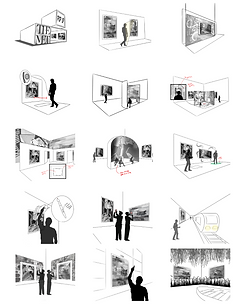
After my research was concluded, I dove into brainstorming and got as many ideas down as possible.
.png)
.png)
.png)
.png)
.png)
.png)
.png)
Iterative CAD Models
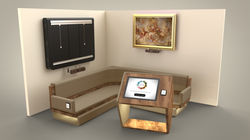
Taking the feedback I received, I developed some of the concepts further to see if they would hold up. Some concepts were changed, and some dropped entirely, but they somehow morphed into what ended up being my final design direction.
 |  |  |
|---|---|---|
 |  |  |
 |  |  |
 |
Final Design
Introducing Easel, an interactive fine art experience. Because of its specialized nature, and the unique settings in which it would be used, everyone I talked to (including industry professionals) agreed that the CMF of this project should vary depending on the museum. The museum where that guides most of my final renders is the SCAD museum of Art.

Concept Walk-through
To better explain the concept and how it is used, I created a step by step walk-through of how the product would be experienced. The setting is the SCAD Museum of Art.

Approaching the SCAD Museum of Art
A visitor walking up to the entrance of the SCAD Museum of Art would be first confronted with a poster advertising a new experience in the exhibits. The poster would encourage those entering the museum to download the Easel application before they enter. This app will guide them through their museum experience.


Walking into the Lobby
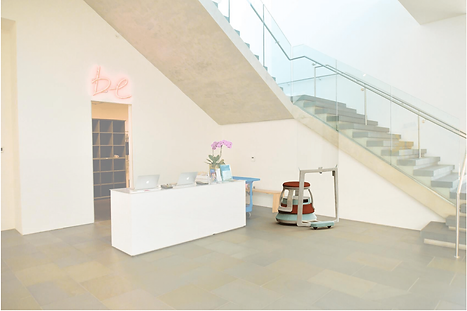
Entering the lobby, a visitor is faced with something they have never seen before. The Easel's provide an electric, modern, and dynamic feeling to normally stagnant and quiet fine art lobbies.
Checking in
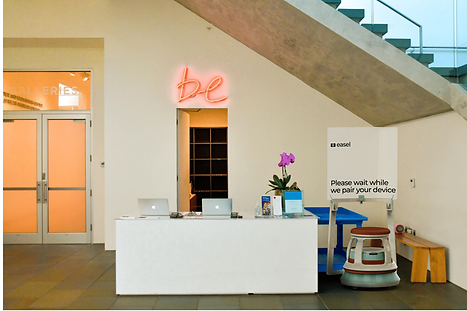
A visitor then goes to the check-in desk to connect with their Easel. The docent at the desk prompts them to use the app to link with their device. The app asks them to select their tour stops and the works of art they would like to experience during their visit.

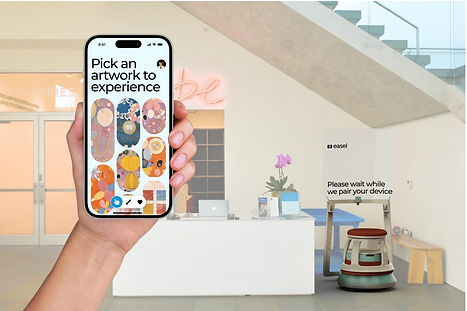


Entering the Exhibits
The Easel then leads the visitor into the exhibit space. The screen addresses the visitor by name so they know which device is theirs. As they follow behind they can look at the other artwork and see what they might want to experience next.
Arriving at your Artwork
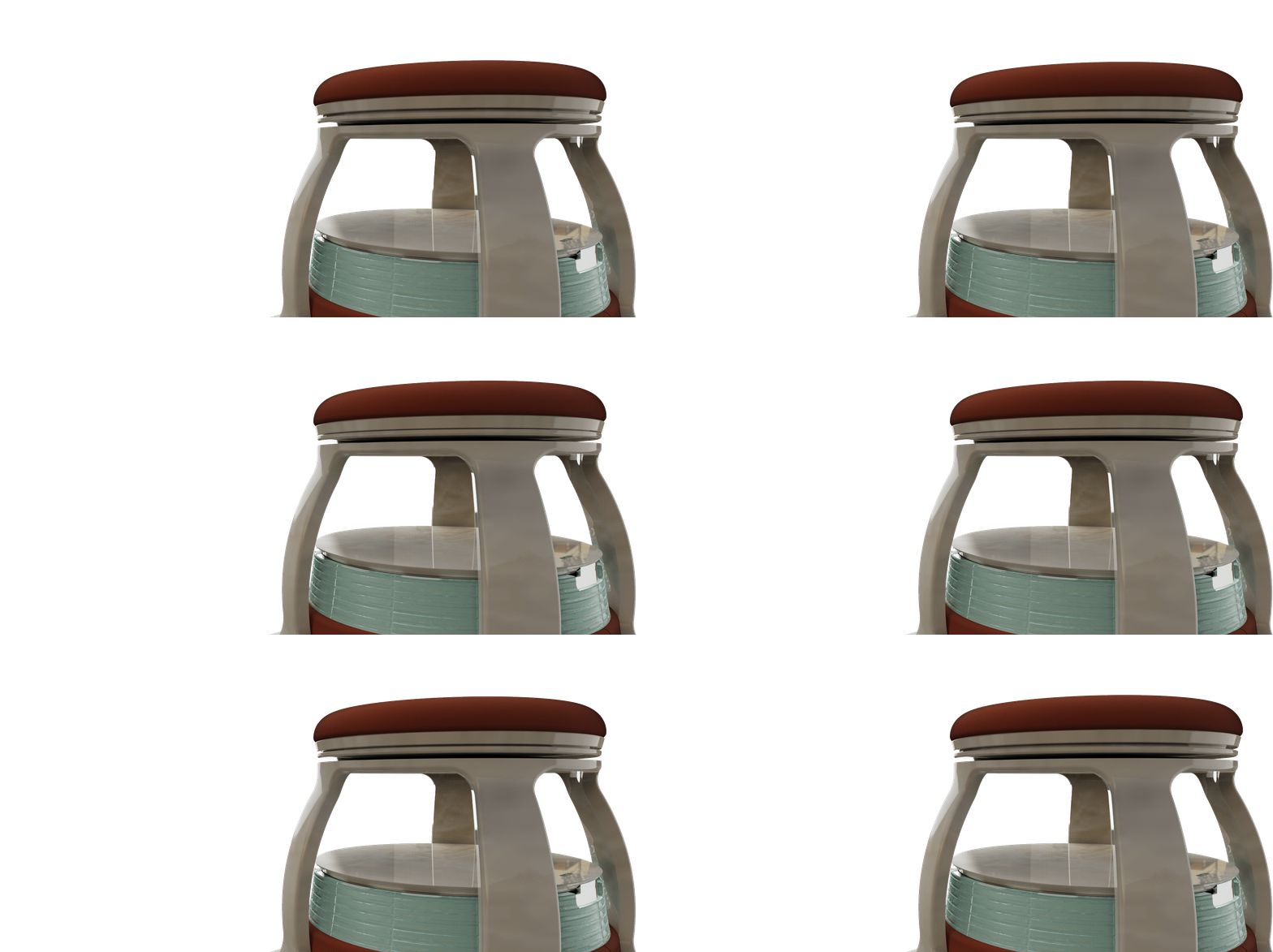
Once you arrive at the artwork of your choice, the Easel positions itself so that its transparent screen frames the work and so that it is out of the main flow of traffic. The seat is what activates the experience; when weight is placed on it your Easel knows you are ready to interact with the selected work of art.
.png)
The Interactive Experience
Once seated, the visitor can select from a range of experiences that fits their ideal museum experience. They are also prompted to place their phone on the Easel's dock. The phone transforms into a palette and brush selector. Because there are multiple experiences to pick from, every journey to the museum can be unique even if you decide to interact with the same paintings.


On Screen Experience Examples
These are just three examples of the experiences that could happen on screen. Ex. Rearranging the painting, learning about the history of the painting, and actually painting on the work of art.

Post-Visit
Once the visitor finishes their tour and interacts with all of the paintings they were interested in, they leave the museum. But the memories they made while in the exhibits can stay with them, as they are sent to them in the app. They can look back on their time at the SCAD Museum of Art, and look forward to future trips where they can interact with paintings they might have missed.
Technical Components
The internal components are based on other mobile robotic solutions, like Fetch robotics. The video shows the exploded view of the internals, and the technical drawing outlines each part of the device.
Screen Technology (Experience Video)
The main piece of technology that allows this experience to work is the utilization of transparent LCD technology. The screen had to be see-through so that the user could see the painting they were experiencing. I created an experience video to better demonstrate how this technology would be used in the device.
Accessories and Charging
There are paint brushes stored in Easel (near the screen) so that the visitors can have a more realistic and tactile experience while painting on a work of art. As for charging, Easel uses a self-parking charging dock. So when the Easel is not in use it returns to its dock to charge.
.png)
Color, Material, Finish
As mentioned before, museums unique specializations and variations in interior setting make it so the look of the Easel would have to change to fit the environment. Because of this, the Easels in the museums would be customized to fit that space in color, material, and finish.


Collaboration with Easel
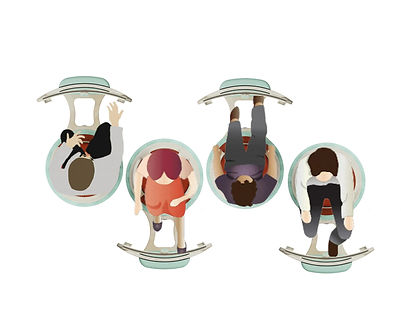
These top-view diagrams of Easels show how they can encourage collaboration. This experience can be done as an individual or in a group. Easel is made to make Fine art museums more fun, interactive, and lively, and having a chance to talk and collaborate while using an Easel will only enhance the memories made with the device. Below are two different orientations that groups could form in the center of an exhibit area to collaborate while painting. (Hover over to see the collaboration)

Senior Display
For my final presentation of this project in my senior class, I created a display that showcases two main features of my product.
Transparent LCD
The top portion of the display has a transparent LCD superimposed in front of a painting. It "paints" over the artwork to show how the technology works. I created this display by taking apart a regular LCD monitor and re-configuring its components to allow it to be see-through.
_HEIC.png)
_HEIC.png)


Easel in Context
I created a miniature Museum to show Easels in context. It includes two Easels that are currently being used for painting experiences, and one that is moving about the exhibit as a tour guide leading someone to their painting.
Video of Components
This is a video of the two main components working.


New CMF study coming soon!
.png)
Grouping and Ranking
After sketching a lot of ideas I had to narrow them down. To do this, I created a matrix and then showed the ideas to actual museum visitors. I then had them rank them on a set of criteria so that I could see what ideas would be the most exciting to the users.
